Start with a sequence
Pick a Story format and get a starting point instead of staring at a blank canvas.
FOR PEOPLE WITH A BUSINESS TO RUN
Build, edit, and export Instagram Stories in minutes with Story Studio.
The plugin for Claude and Codex that helps you turn your ideas into Stories you can actually publish.
Join the waitlistGet the details when access opens.
SOUND FAMILIAR?
You open Stories and can't decide what to post.
You spend way too long laying out a few slides.
You get busy, skip a day, and have to start from scratch.
There's a faster way to get your ideas out of your head and onto your Story.
MEET STORY STUDIO
Story Studio gives you a place to build a sequence, add your own content, and export the finished slides. Use it with Claude or Codex, then make the final post yours.
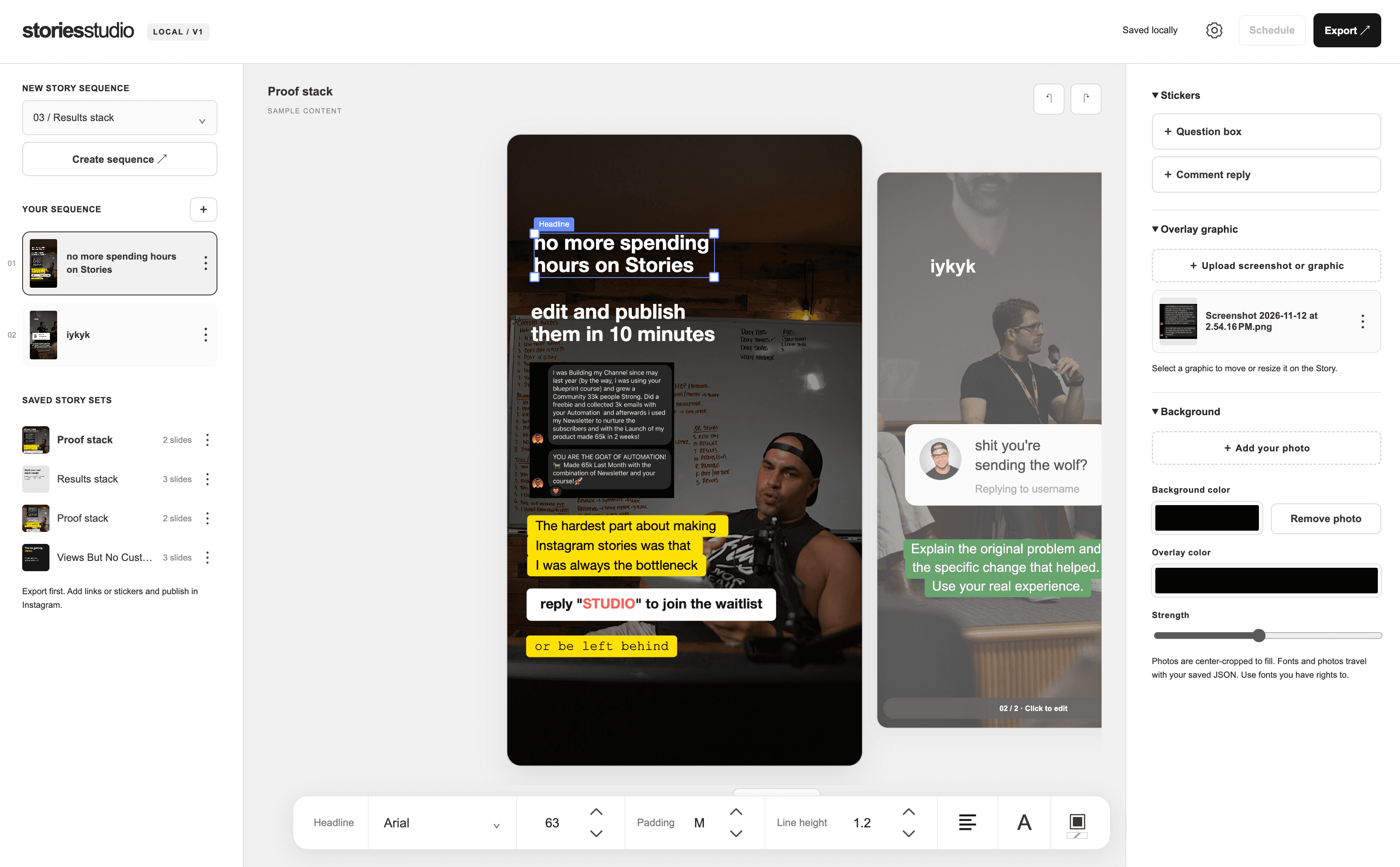
A look inside the Story Studio editor.
A SIMPLE WORKFLOW
Pick a Story format and get a starting point instead of staring at a blank canvas.
Add your photos, screenshots, words, and graphics. Move things around until the Story sounds and looks like you.
Export your slides, add any final links or stickers in Instagram, and publish.
YOUR CONTENT, YOUR WAY
Use a question, a result, or a useful idea as the starting point. Add your own photo or proof. Put your words on the slide. Story Studio helps with the making so you can focus on what you want to say.
Join the waitlist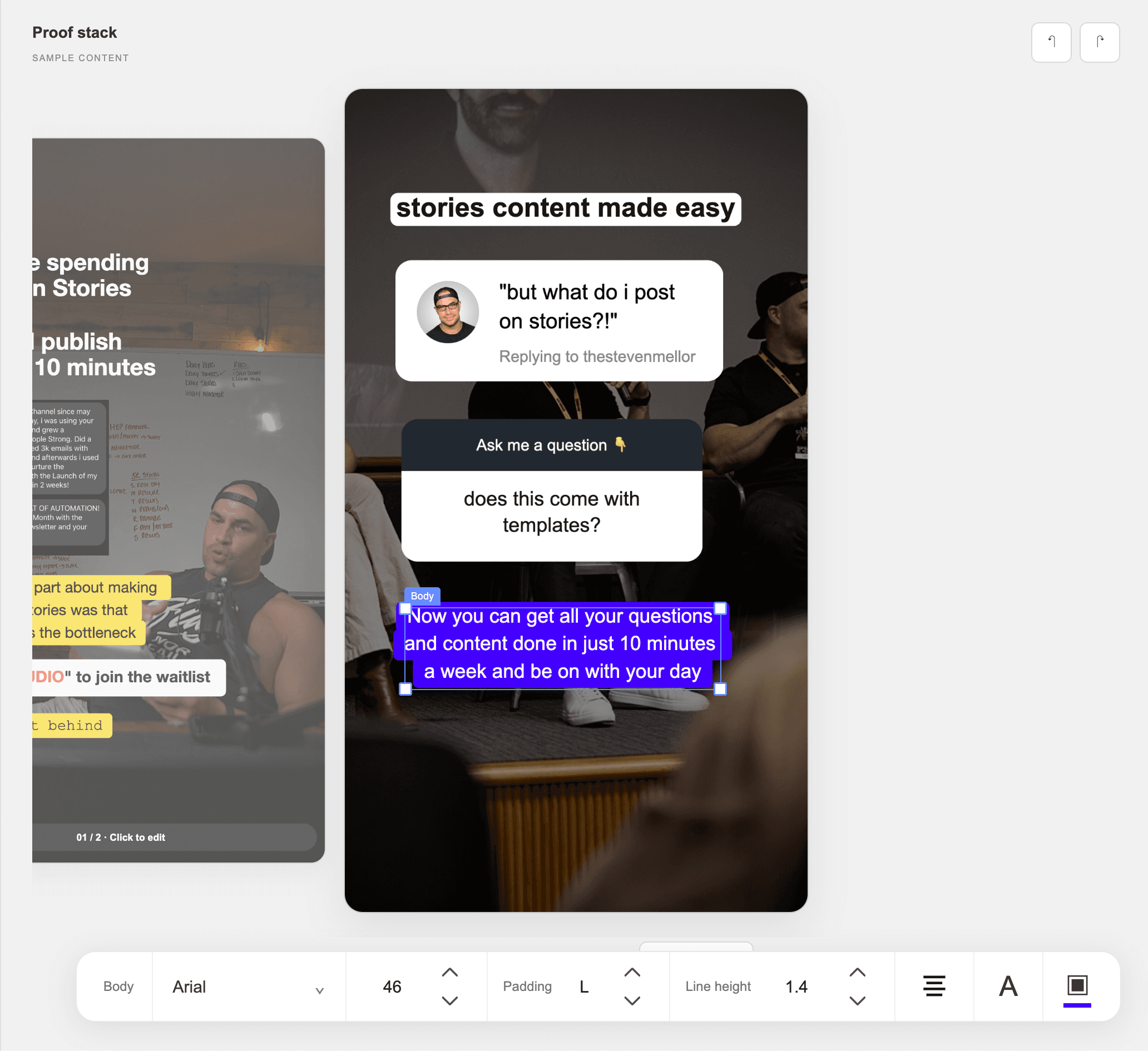
BUILT FOR THE PEOPLE DOING THE WORK
If you're a creator, educator, or business owner with something to teach or sell, you need a repeatable way to show up. Story Studio helps you make that part of your week easier.
THE DETAILS
Yes. Story Studio is built to work with Claude and Codex.
No. You can use your own photos, screenshots, graphics, and text. The important part is making the Story relevant to your audience.
No. Export the finished slides, then add links or interactive stickers and publish them in Instagram.
I’ll email you about Story Studio and how to get access. You can unsubscribe anytime.
STORY STUDIO
Join the waitlist and I'll email you about Story Studio access.